
01
Describe it, watch it run
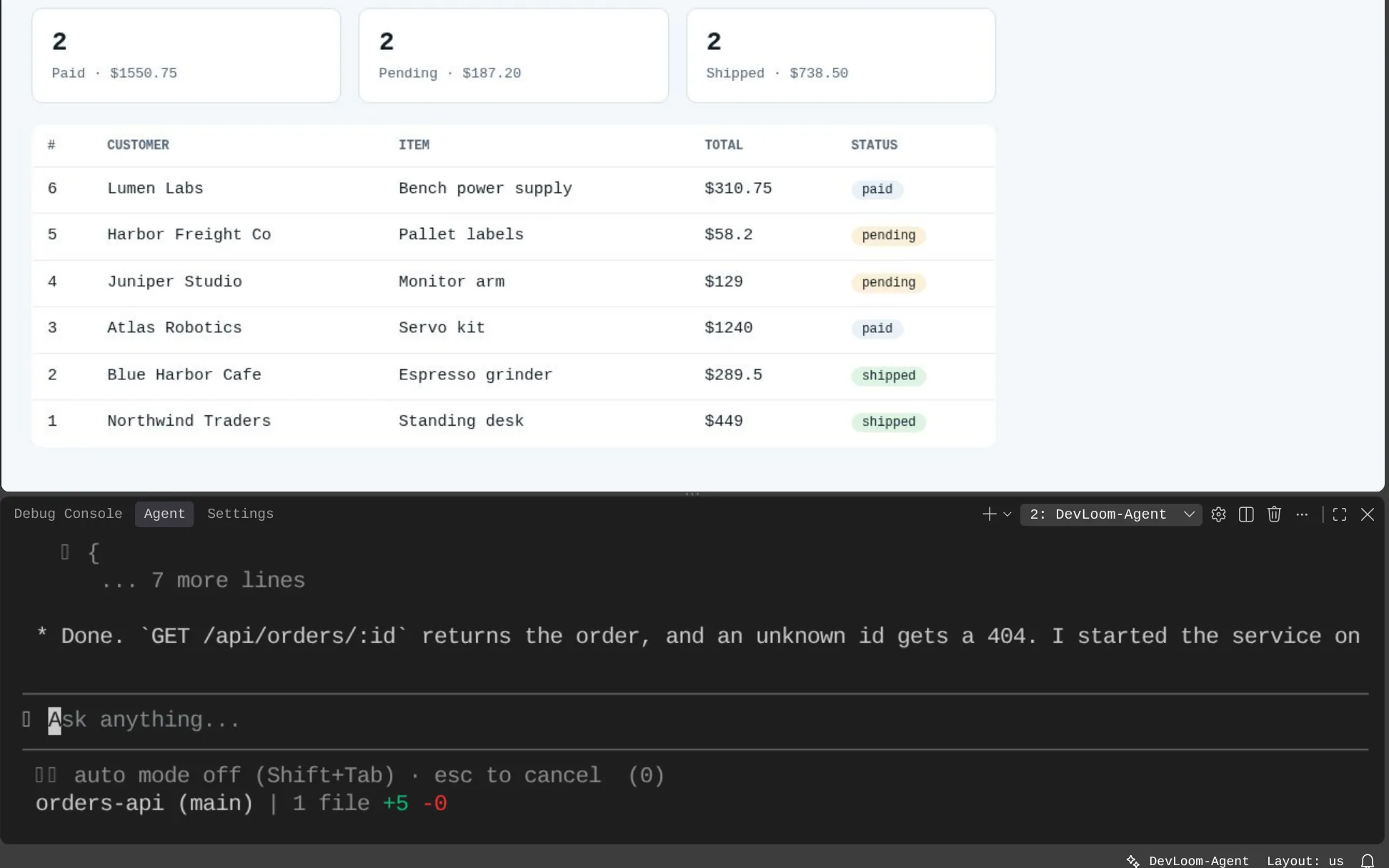
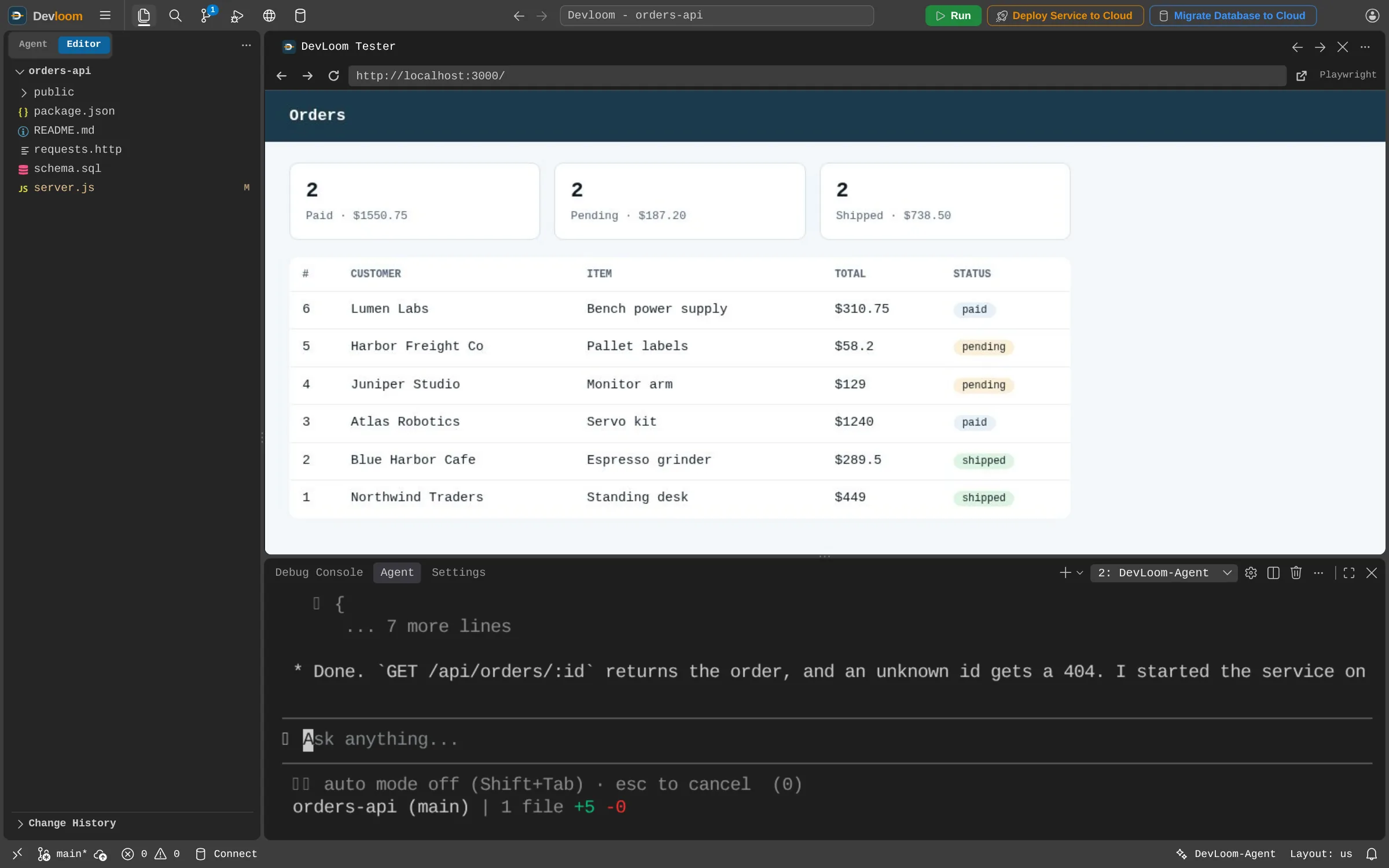
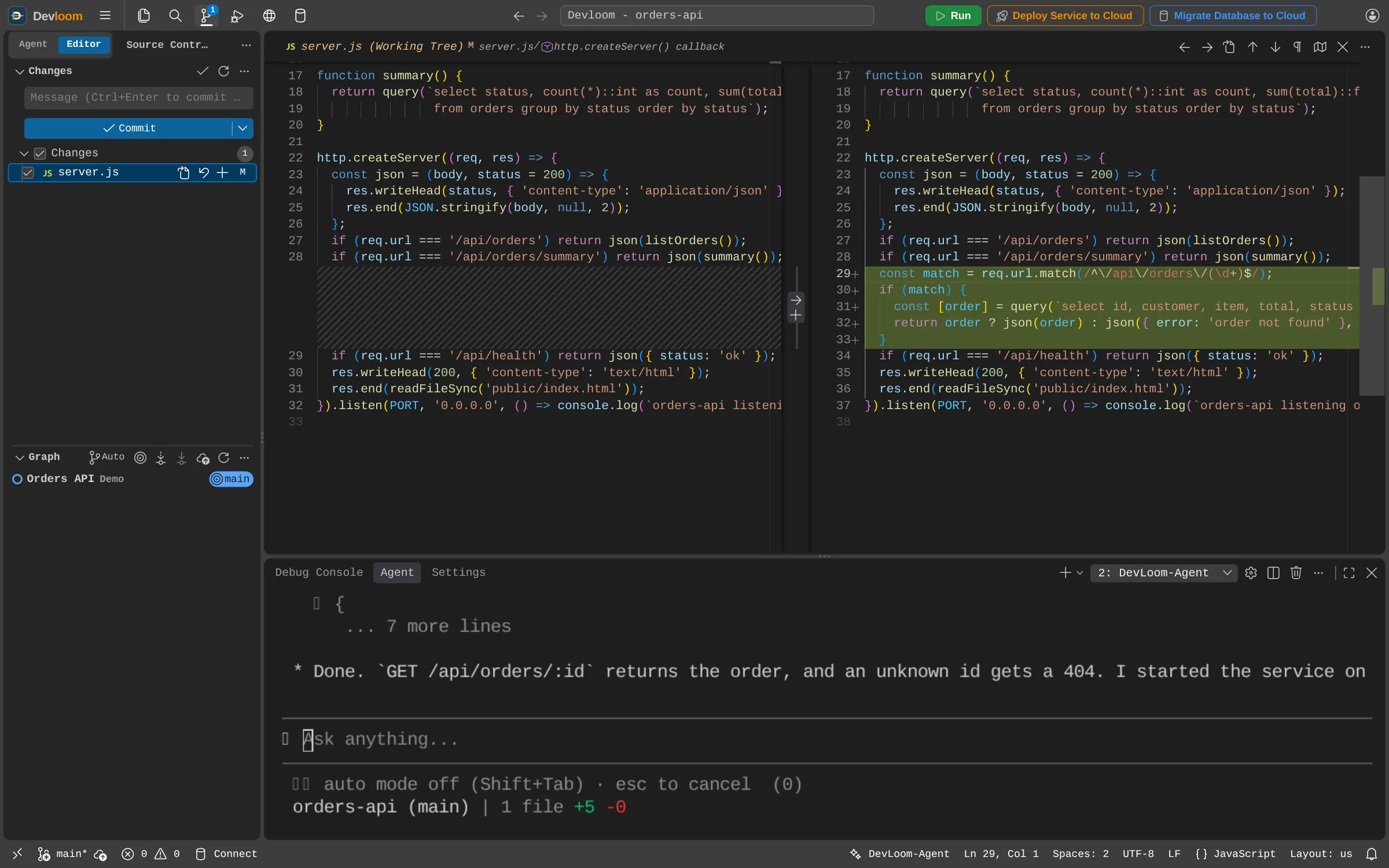
Tell Devloom-Agent what you want in plain words. It reads your code, makes the change, starts the app and tests it in Devloom Tester, a live browser tab you can click and type in as well.
Cloud development workspace
Devloom gives you a full code editor, your own PostgreSQL and Devloom-Agent, an AI agent that writes, runs and tests code alongside you. When it works, ship it to your own cloud.
Works with the stack you already use
Product
Use the same Devloom account in your browser, on your desktop or in your terminal.
A private workspace in your browser, with PostgreSQL and cloud deploys built in. Nothing to install.
Explore CloudThe Devloom editor with Devloom-Agent as an app for macOS and Windows, on the files on your own machine.
Explore DesktopDevloom-Agent in the terminal you already use, on macOS and Windows.
Explore CLIHow it works
Tell Devloom-Agent what you want in plain words. It reads your code, makes the change, starts the app and tests it in Devloom Tester, a live browser tab you can click and type in as well.
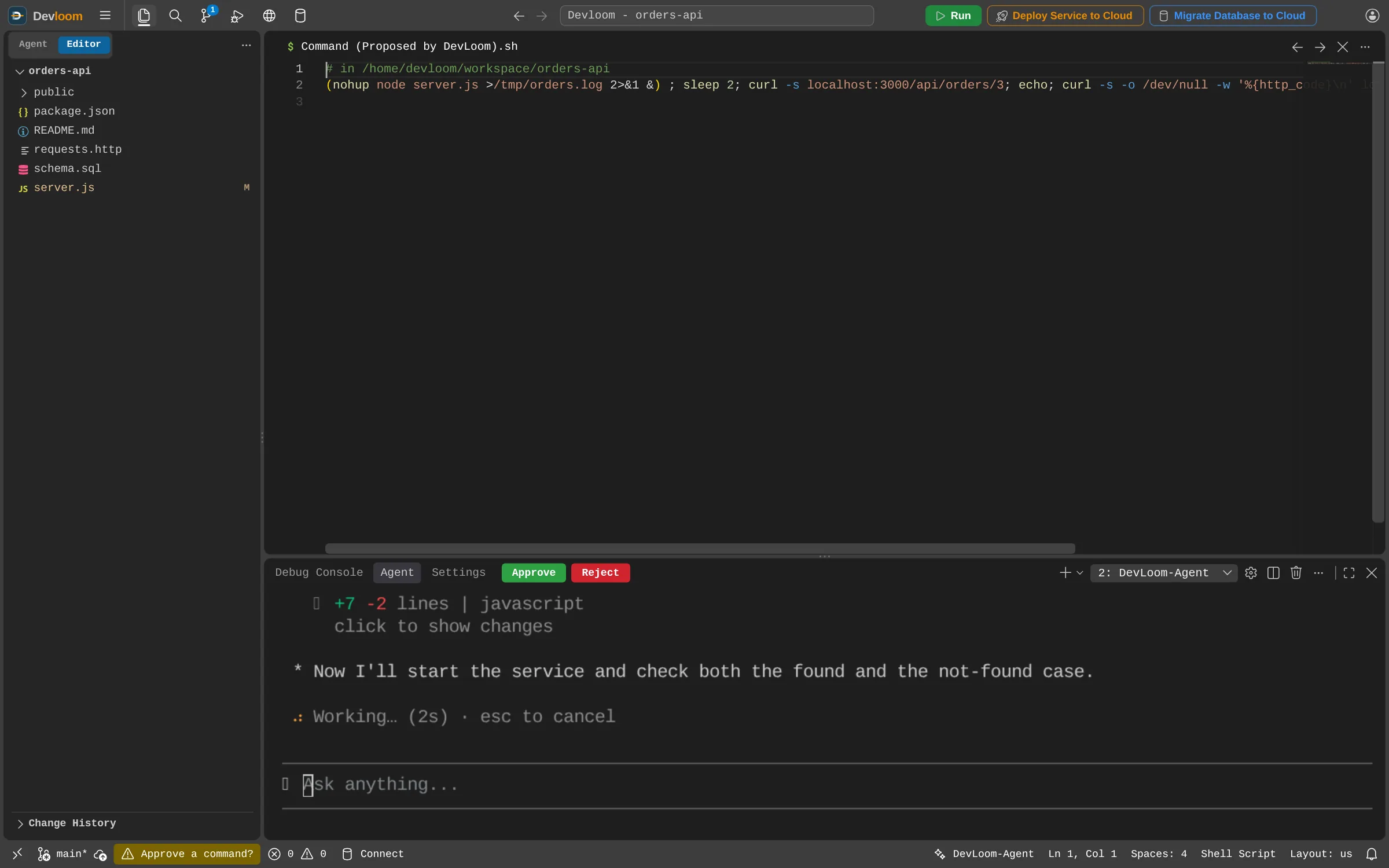
In manual mode nothing is written until you decide. Each edit and each command that could change files opens for review, with Approve and Reject one click away. Read-only commands and test runs go ahead unasked.
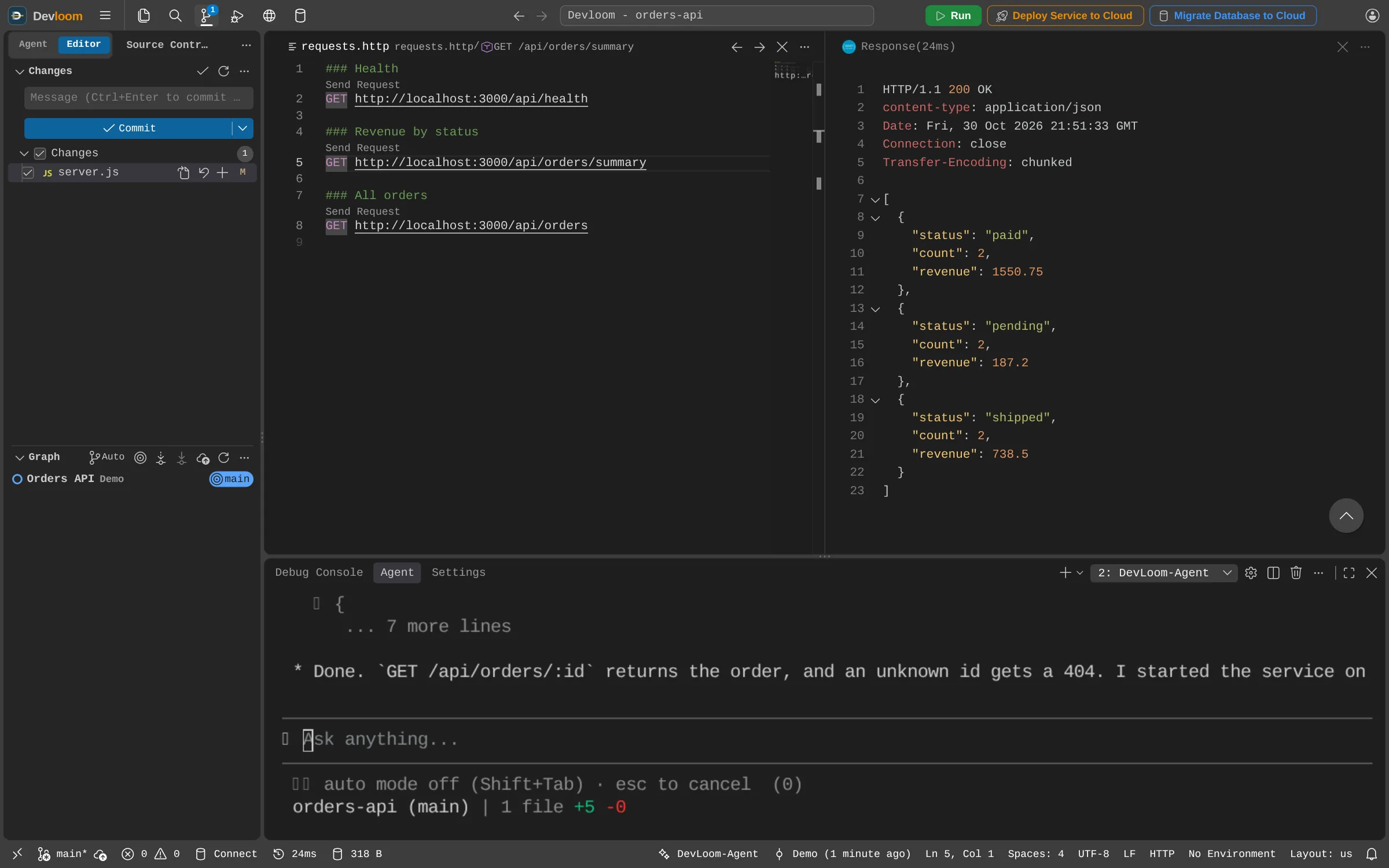
Keep your requests in .http files and send them from the editor. Run Spring Boot, Angular, Node.js, Python and Go services side by side, all using the PostgreSQL in your workspace.
Every changed file has a checkbox. A commit takes the checked files and leaves the rest out of both the commit and the push.
In every workspace
A full code editor, terminal and Git in your browser. Nothing to install.
Ask in plain words; it plans, writes and runs the code. You review every change.
Run Spring Boot, Angular and more at once; test pages and APIs as you watch.
Every workspace has its own PostgreSQL, ready for your app from the first run.
To Google Cloud SQL, Amazon RDS or any PostgreSQL, every row count verified.
Ship microservices and APIs to AWS, Google Cloud or Alibaba Cloud in one click.
The agent reads your Jenkins, AWS, Google Cloud and Alibaba Cloud logs and fixes the cause.
Your own isolated environment and storage. No one else can see your files.
Request an account and start as soon as it is approved.