
01
Review before anything is written
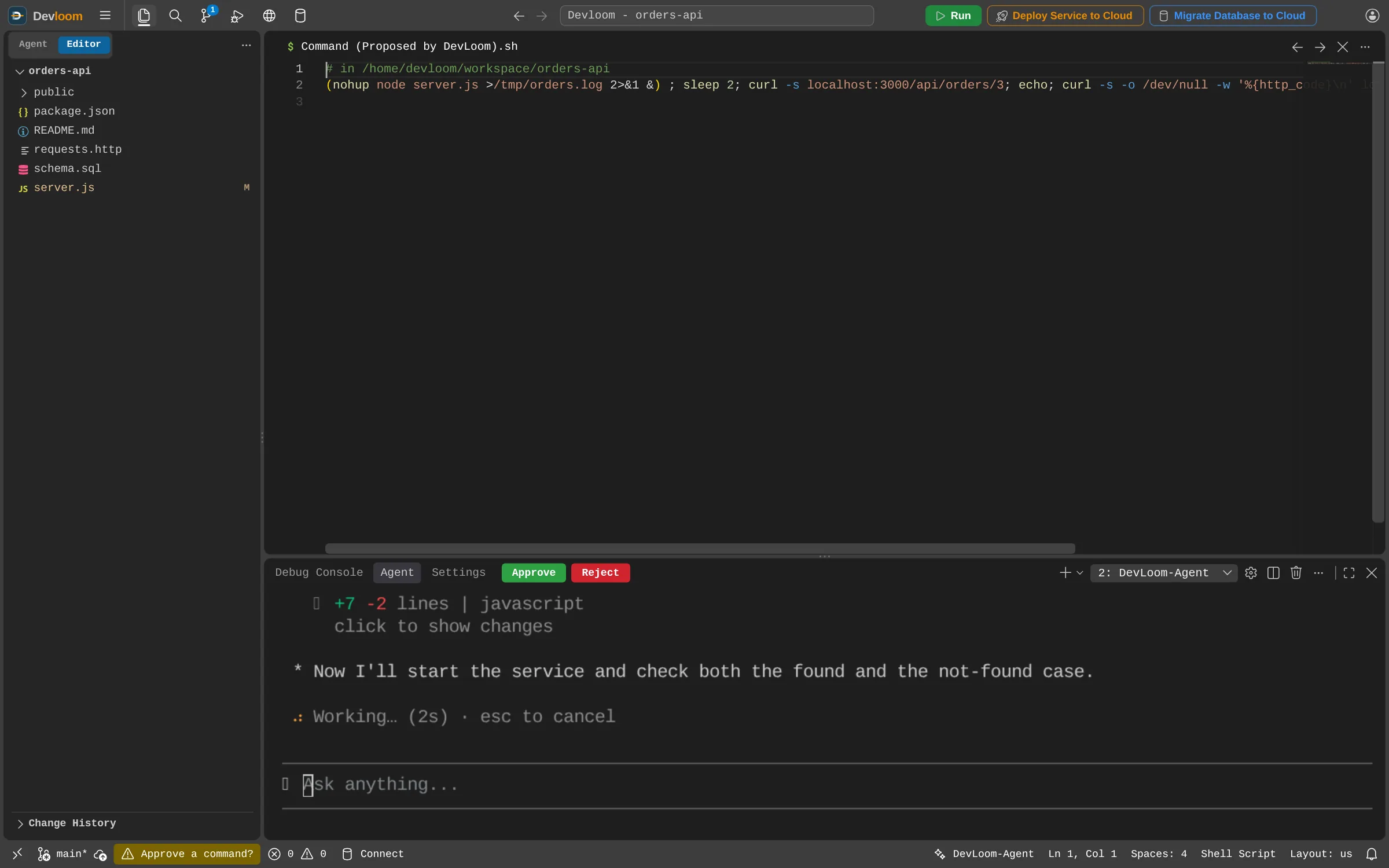
In manual mode each edit opens as a diff, marked as proposed. Choose Approve or Reject above the chat. Commands that could change files open the same way; read-only ones and test runs go ahead unasked.
Code review
Devloom-Agent proposes every edit and risky command as something you can read first. You decide what is written, what runs, and what gets committed.
How it works
In manual mode each edit opens as a diff, marked as proposed. Choose Approve or Reject above the chat. Commands that could change files open the same way; read-only ones and test runs go ahead unasked.
Every changed file in Source Control has a checkbox beside a side-by-side diff. A commit takes only the checked files and leaves the rest out of the commit and the push.
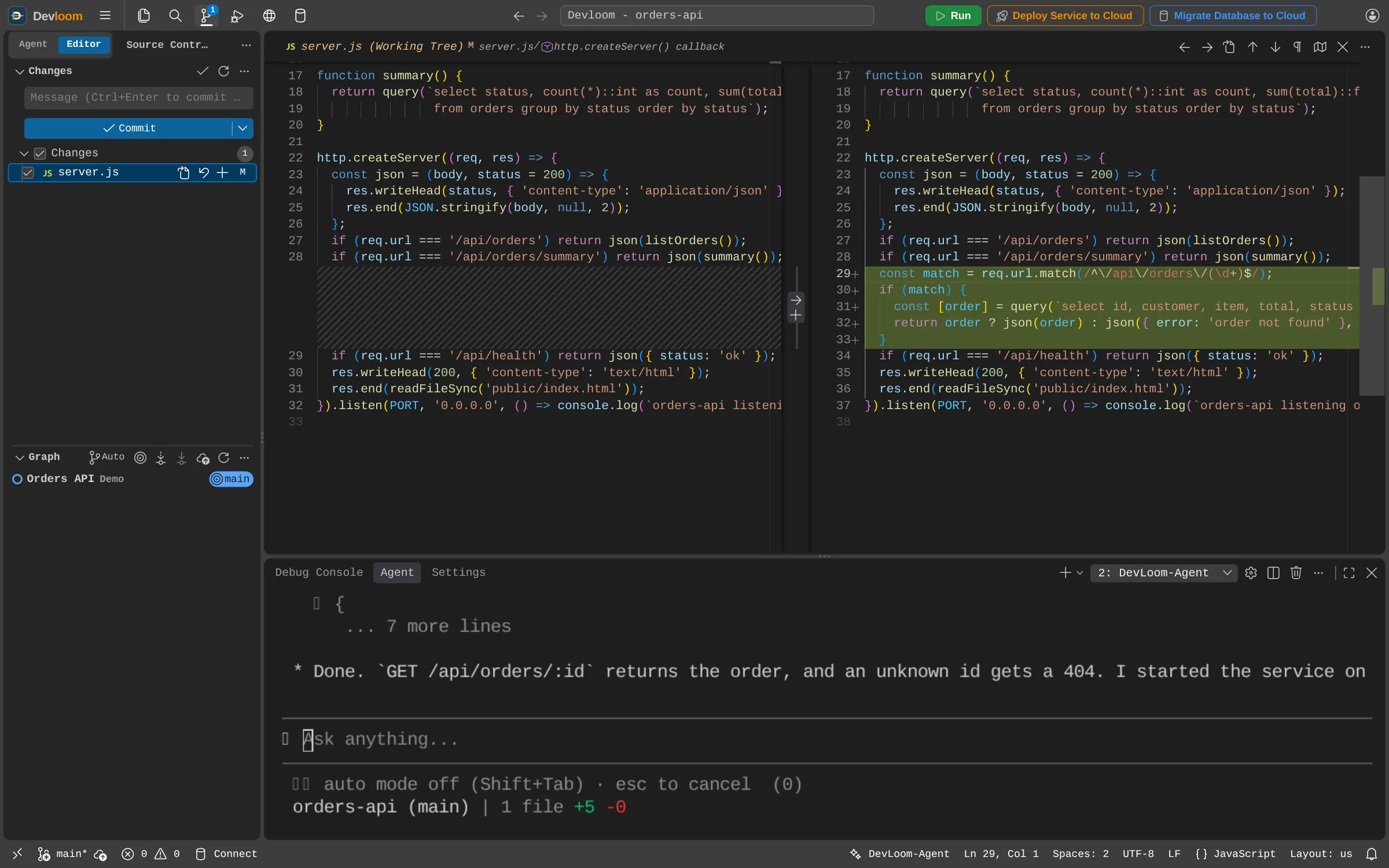
Turn auto-approve on for quick work and off for sensitive code, at any time, with Shift+Tab.
Open the change running in Devloom Tester before you approve the next step.
Write rules the agent follows in every session, for one project or all of them.
Not today. Review in Devloom happens as the work is done: you approve each change in the editor before it is written, and choose what goes into each commit.
Yes. With auto-approve on, it works on its own and each file it writes opens as a diff so you can follow along.
Request an account and start as soon as it is approved.